> For the complete documentation index, see [llms.txt](https://docs.theconfigteam.com/llms.txt). Markdown versions of documentation pages are available by appending `.md` to page URLs; this page is available as [Markdown](https://docs.theconfigteam.com/prebilt-for-public-cloud/applications/pickface-replenishment/user-guide.md).
# User guide
{% stepper %}
{% step %}
### Selection
Select the queue with replenishment tasks.
{% endstep %}
{% step %}
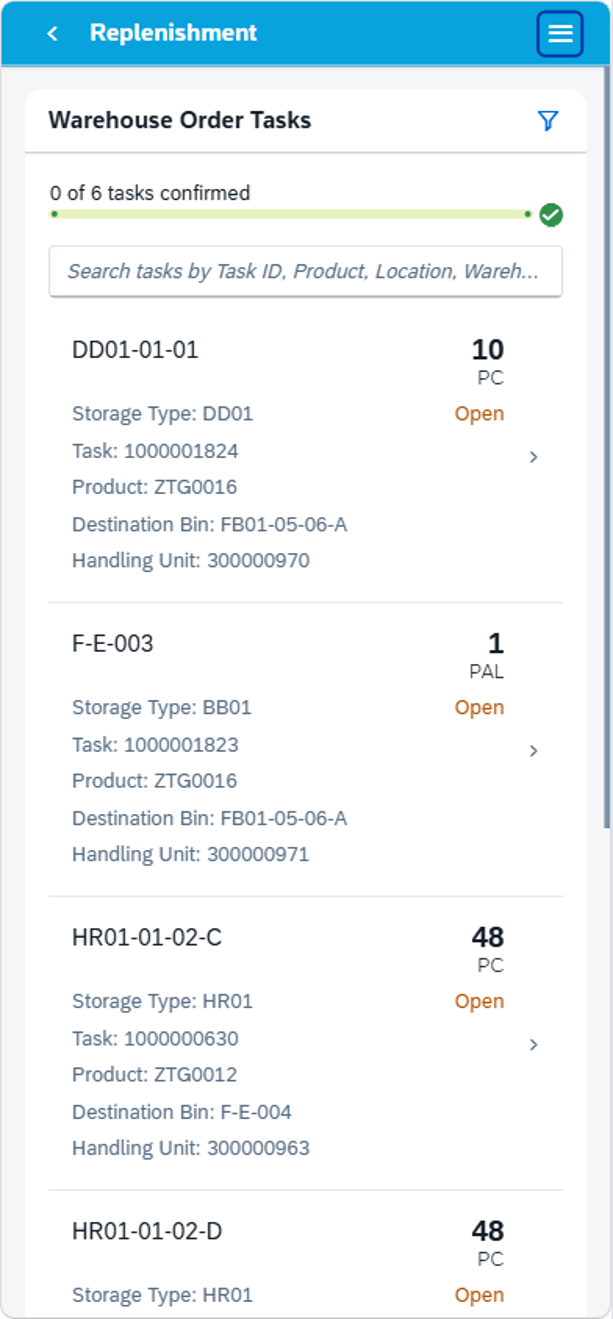
### View a task
Select a queue to view the task within it.
{% endstep %}
{% step %}
### Confirmation
To confirm the task, scan any required verification information.
{% endstep %}
{% step %}
### Confirmation
Enter the handling unit and confirm the destination bin and tap "Confirm".
A success message will be displayed.
{% endstep %}
{% endstepper %}